
Overview
This article explains how the Settings & Assumptions > Taxes options for regular assets flow through to the Year at a Glance (YAG) report — and how MaxiFi determines what portion of asset returns are taxed as:
Qualified dividends / realized capital gains
Unrealized capital gains
Ordinary asset income (interest, etc.)
We’ll walk through an example below to show how these settings translate into the YAG.
QUICK USE GUIDE
Regular Asset Taxation Settings
Go to: Settings & Assumptions > Taxes > Regular Asset Taxation
You’ll see three key percentages under:
Assumptions About Income from Regular Assets (Apart from Munis)
Qualified Dividends & Realized Capital Gains %
Unrealized Capital Gains %
Share of Interest and Other Ordinary Asset-Income %
These three categories determine how your total annual return is allocated for tax purposes.
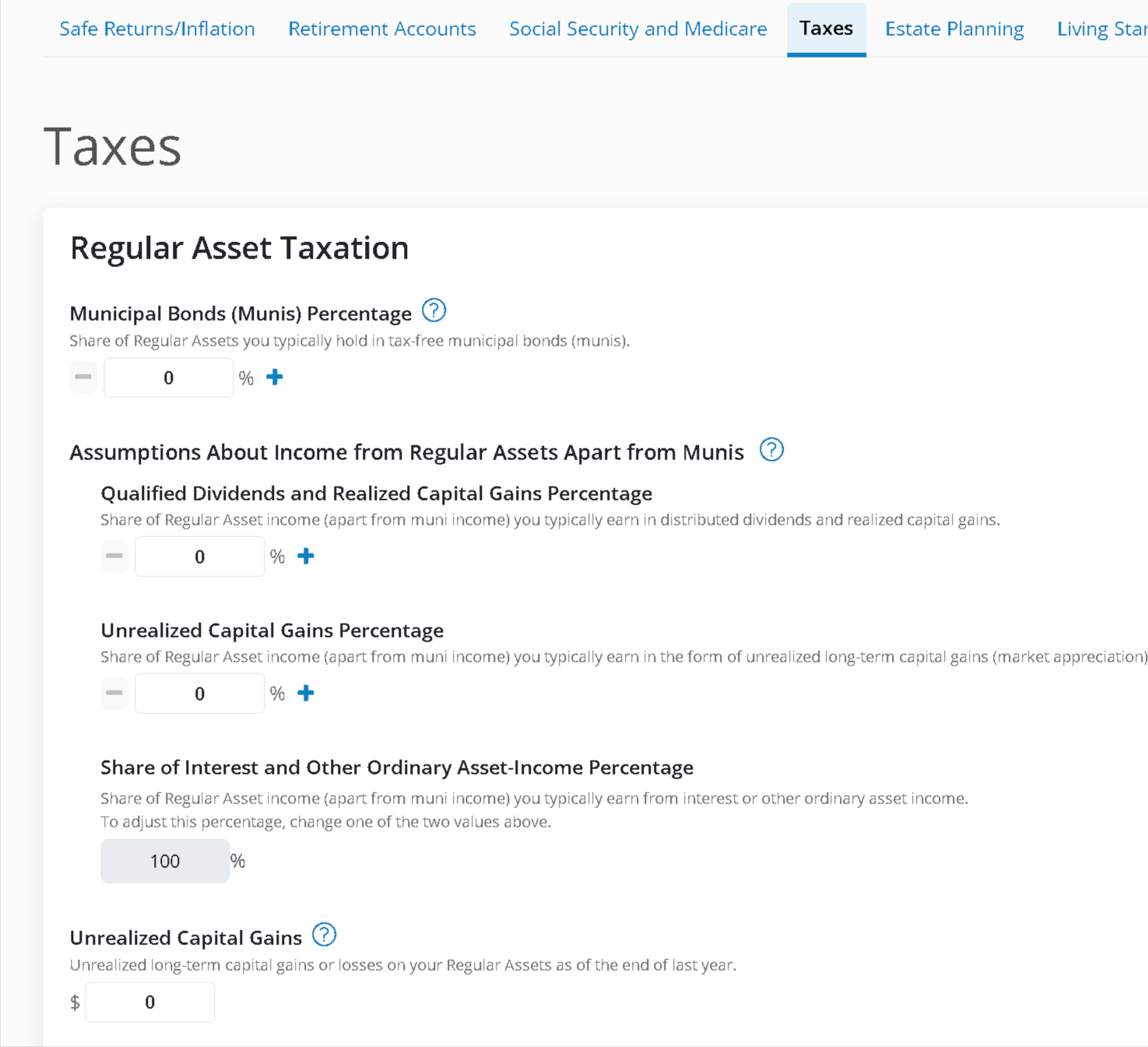
Example Assumptions
For the below scenarios, assume:
Beginning regular assets: $100,000
Inflation: 2.25%
Nominal return: 4.75%
Total return = $4,750
That $4,750 must be allocated across the three categories above.
Scenario 1: 100% Ordinary Asset Income
If the settings show:
0% Qualified Dividends / Realized Gains
0% Unrealized Gains
100% Ordinary Income
Then the full $4,750 is treated as ordinary taxable income.
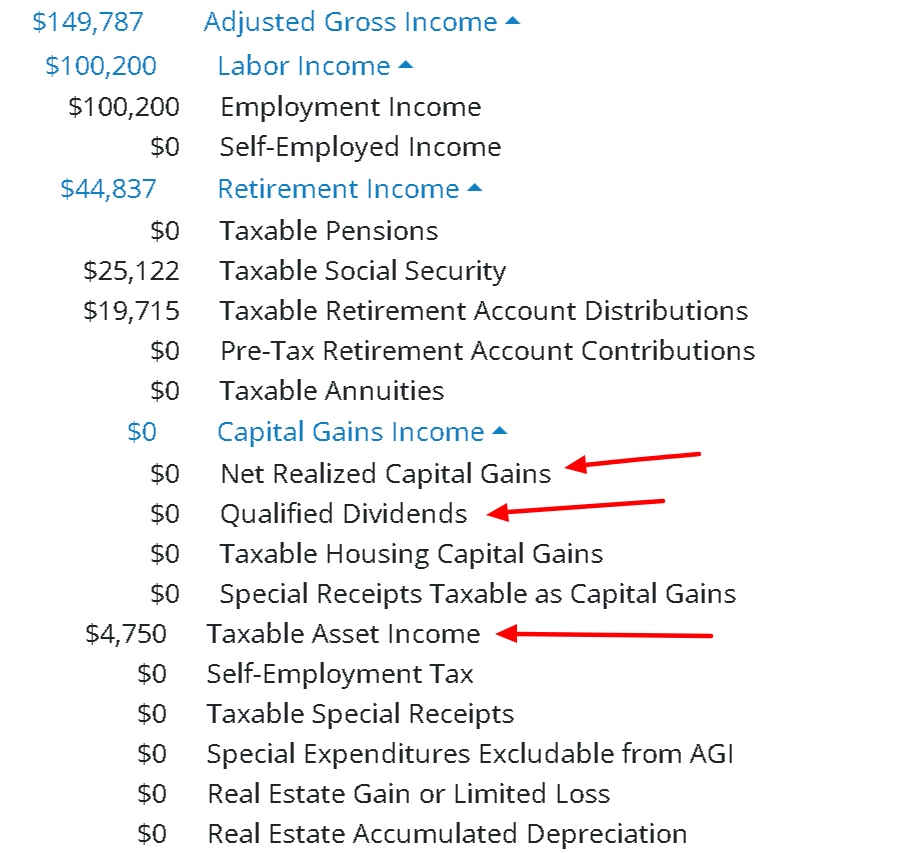
In the YAG report, this appears as:
Taxable Asset Income = $4,750
No capital gains entries
Scenario 2: 50 / 50 Split Between Qualified Dividends and Ordinary Income
If you adjust the settings to:
50% Qualified Dividends / Realized Gains
0% Unrealized Gains
50% Ordinary Income
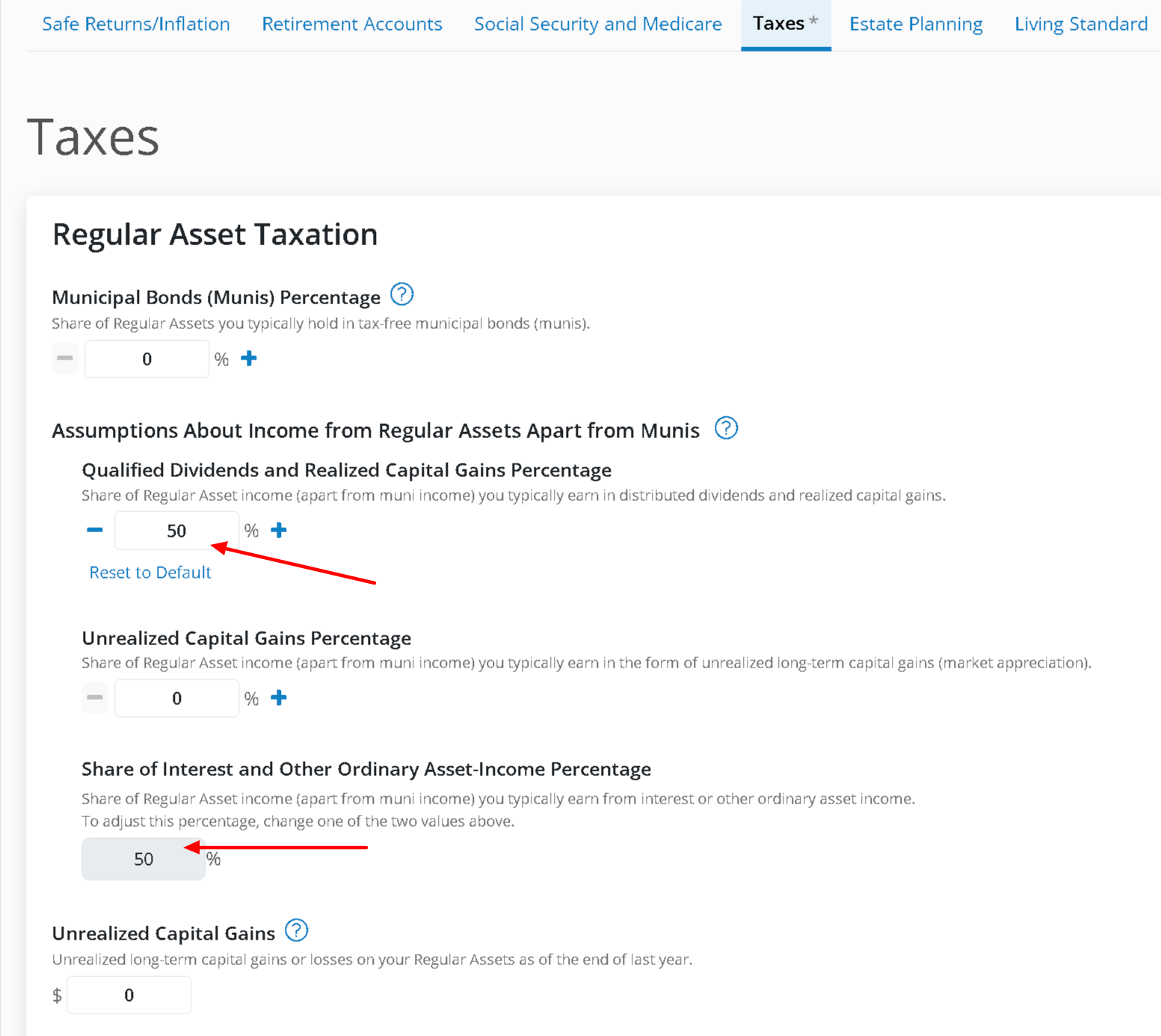
Then:
$4,750 × 50% = $2,375 Qualified Dividends
$4,750 × 50% = $2,375 Ordinary Income
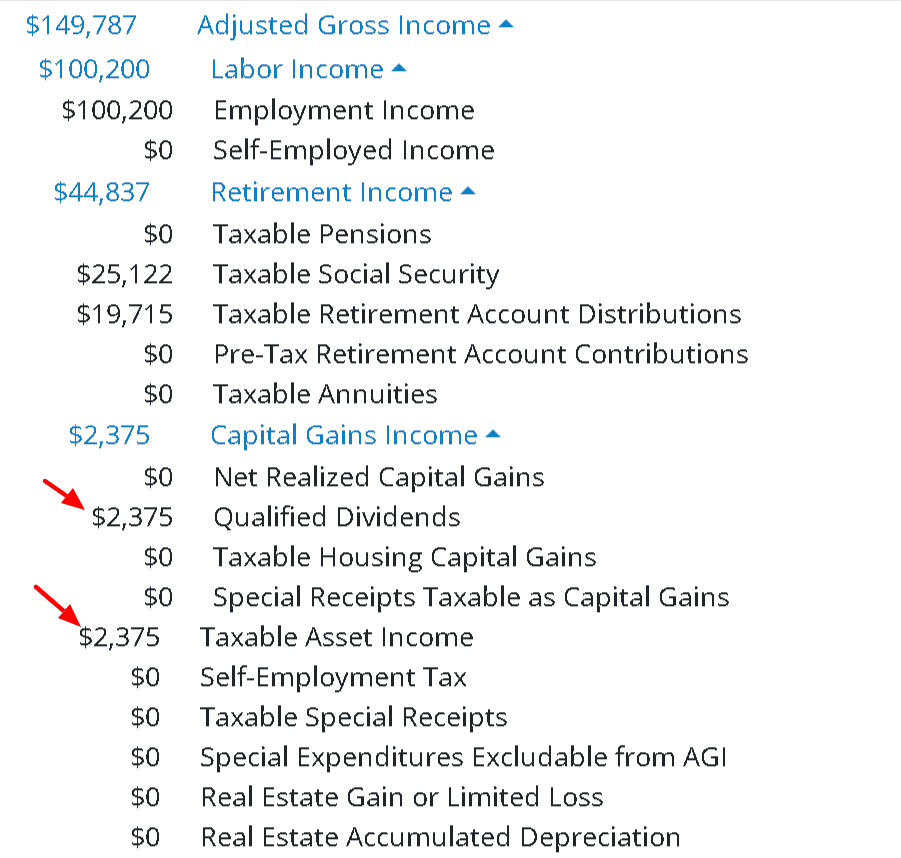
The total income subject to tax is still $4,750 — it’s simply divided between categories.
Scenario 3a: 30 / 40 / 30 Allocation
Now let’s use:
30% Qualified Dividends / Realized Gains
40% Unrealized Gains
30% Ordinary Income
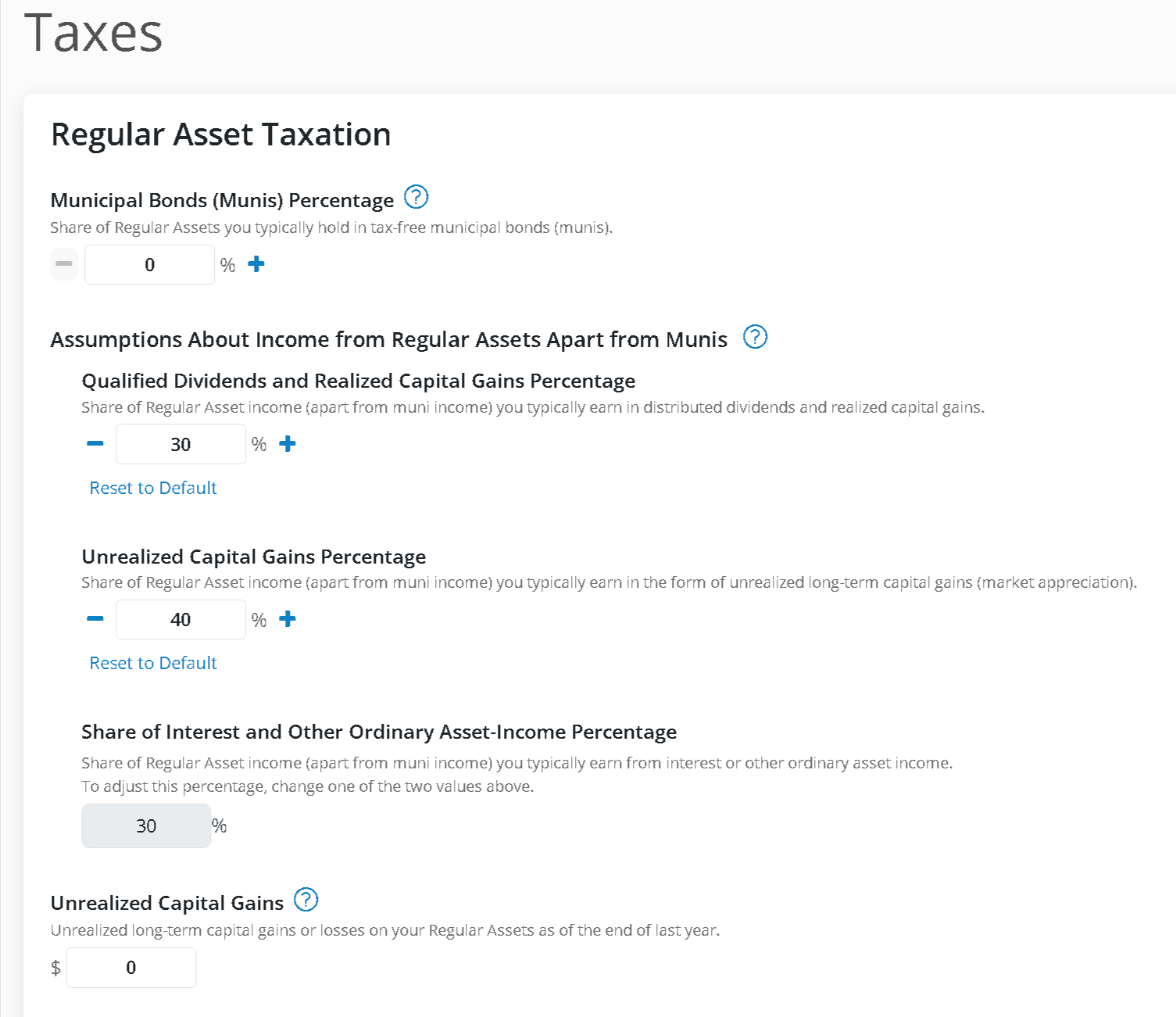
The $4,750 return is allocated as:
30% → $1,425 Qualified Dividends
40% → $1,900 Unrealized Gains
30% → $1,425 Ordinary Income
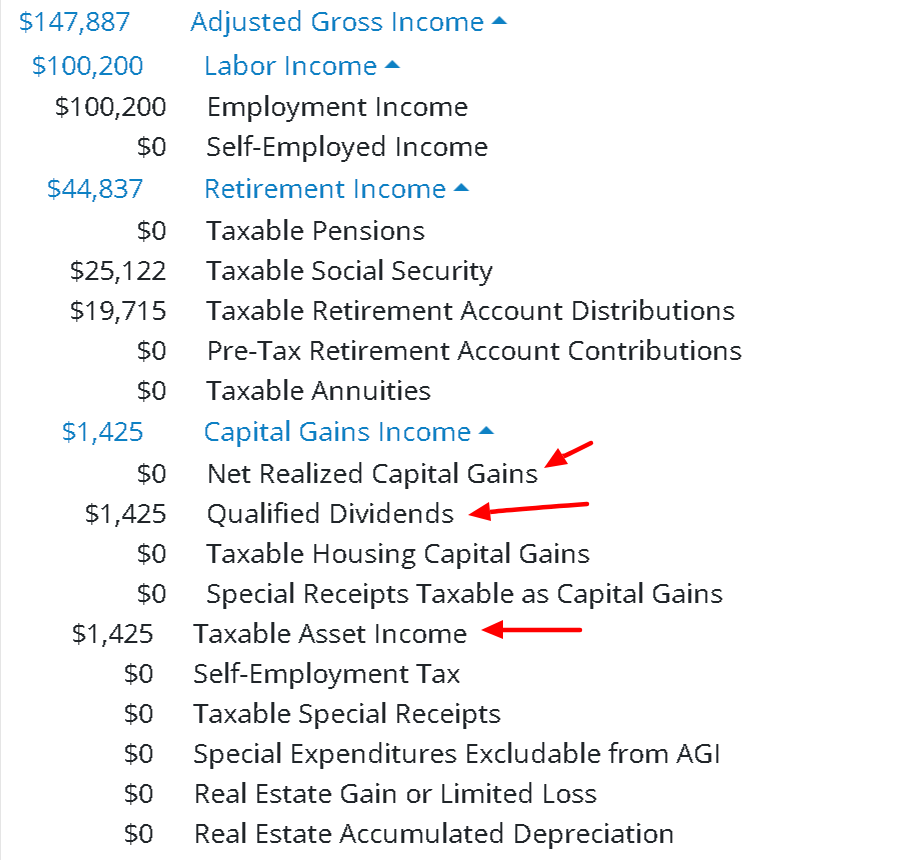
NOTE: You do not see Net Realized Capital Gains yet. That’s because realized gains are triggered only when there is a withdrawal from regular assets. In this example year, there is saving, not a withdrawal.

The $1,900 of unrealized gains is not ignored — it is added to MaxiFi’s internal tracking of accumulated unrealized gains (just like in a brokerage account).
Scenario 3b: When a Withdrawal Triggers Realized Gains
Now we adjust the plan so there is a withdrawal from regular assets.
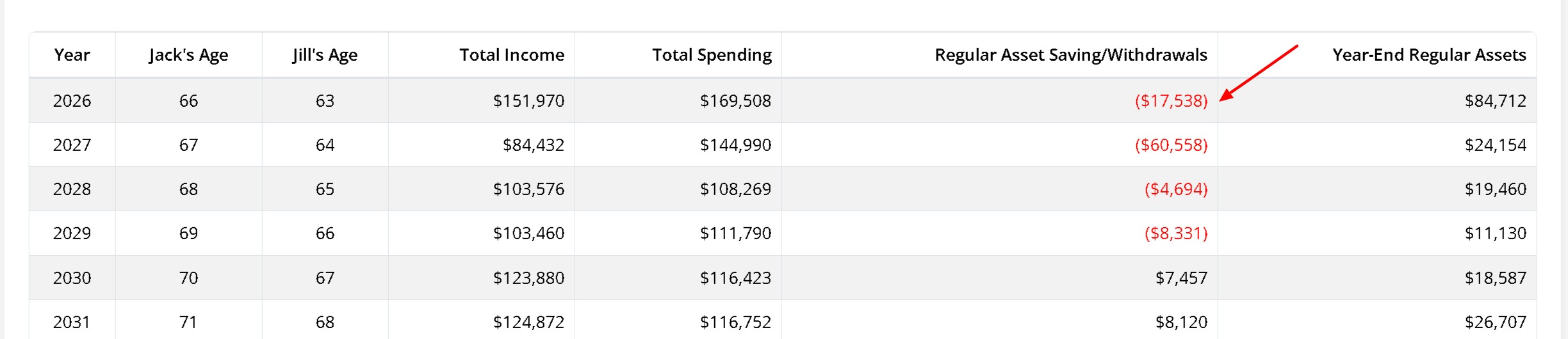
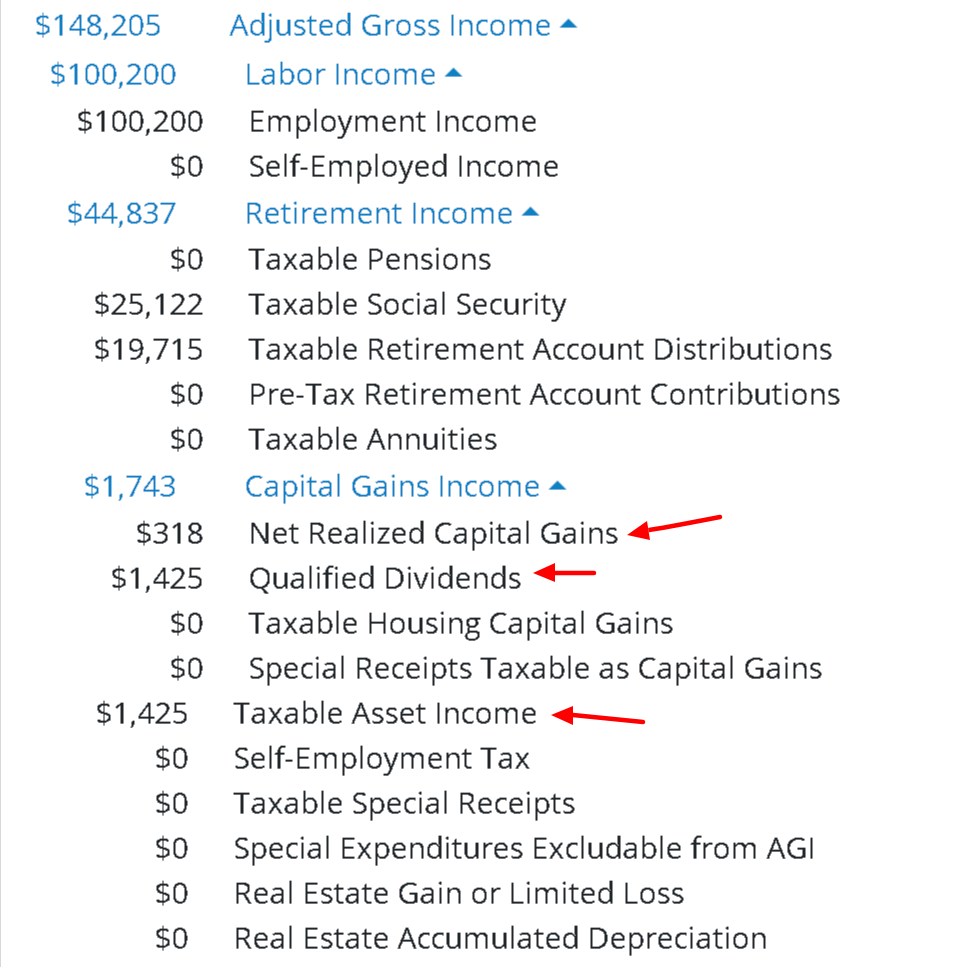
The distributed income remains:
$1,425 Qualified Dividends
$1,425 Ordinary Income
Total taxable asset income is still $4,750.
However, now you’ll see:
How are Net Realized Capital Gains calculated?
Here’s the simplified logic:
Unrealized gains for the year = $4,750 × 40% = $1,900
These unrealized gains are part of the total taxable asset base:
$100,000 starting balance
$4,750 total return
= $104,750 taxable asset base
Now calculate the proportion:
$1,900 ÷ $104,750 = 1.81%
This means 1.81% of any withdrawal represents realized capital gains.
If the withdrawal is:
$17,538 × 1.81% = $318 realized gains
That’s what appears as:
Net Realized Capital Gains = $318
MaxiFi prorates realized gains based on total accumulated unrealized gains relative to total assets subject to tax.
Important Notes
Reserve Funds
Regular assets marked as Reserve Funds:
Default to generating only ordinary income
Do not generate capital gains or qualified dividends
You can modify this via:
Settings & Assumptions > Taxes > Reserve Fund Taxable Percentage
Settings & Assumptions > Safe Returns (to 0% if desired)
These settings are independent of the three regular asset allocation percentages.
Unrealized Capital Gains Balance
Realized gains calculations include:
Unrealized gains generated this year
All unrealized gains carried forward from prior years
Municipal Bonds (Munis)
Assets invested in tax-free municipal bonds:
Are excluded from taxable regular asset income
Affect the allocation calculations
These are controlled by: Municipal Bonds (Munis) Percentage
Key Takeaways
The three allocation percentages in Settings & Assumptions > Taxes determine:
How total return is categorized
What shows up as taxable income immediately
How much unrealized gain is tracked
How much is realized when withdrawals occur
The YAG report reflects these mechanics directly.
Need More Support?
Need help while using MaxiFi? Click the green Help button in the bottom-right corner of any screen to open our support popup. From there, you can:
- Search our full Knowledge Base for step-by-step guides and FAQs
- See suggested articles based on where you are in the software
- Contact our Support Team by filling out a quick form—most responses come well within 24 hours
We’re here to help you feel confident as you build and explore your plan!